All features

Crew PDF report

PDF report: crew readiness for a chosen day, ready to print and send

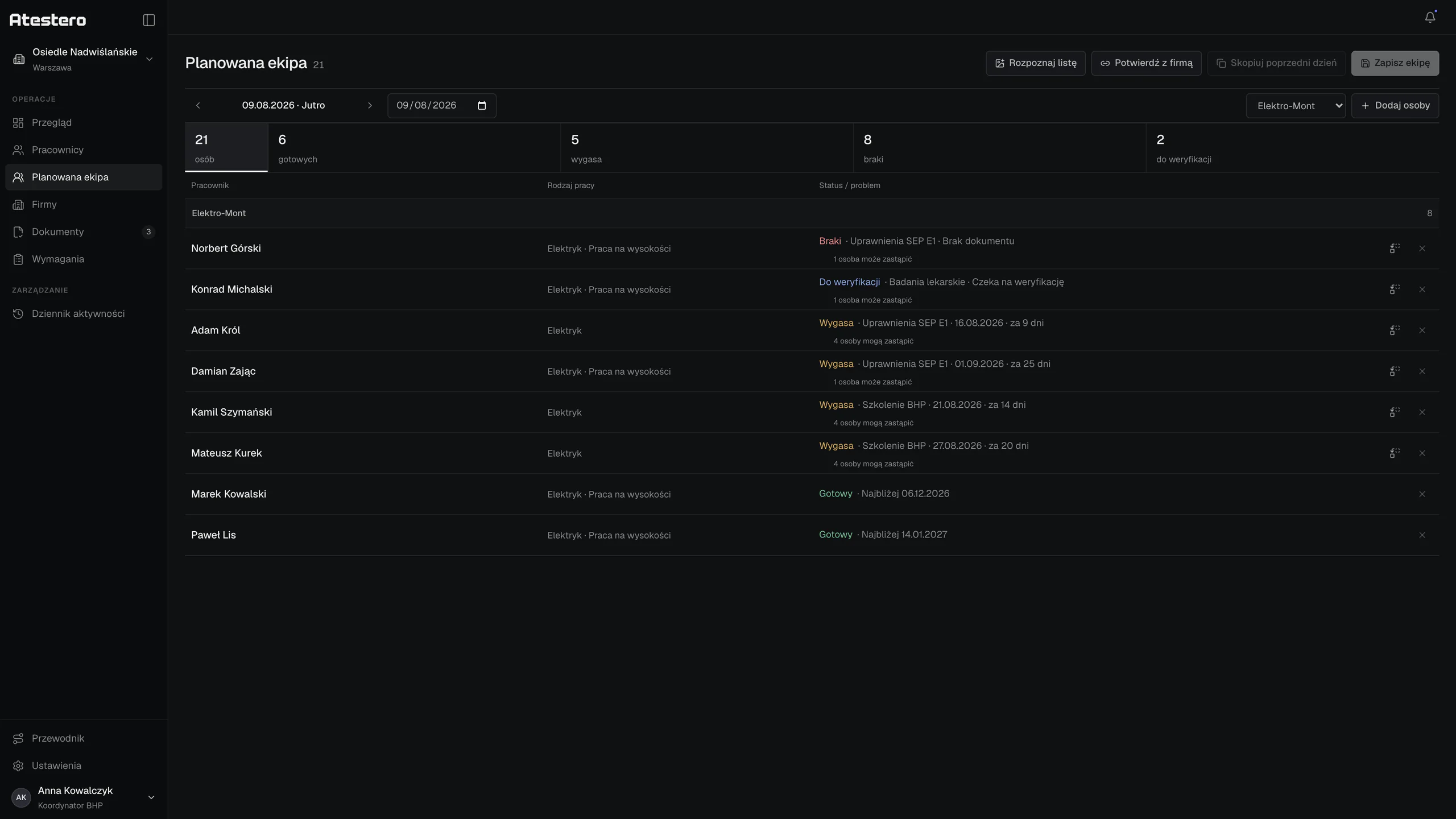
The report collects the state of the planned crew for a chosen day: who is ready, who has missing documents, what waits for review and what expires soon, split by firm. It is made as a PDF in the browser, and a short summary can be copied into WhatsApp or an SMS.

Demo planned crew in Atestero, from which the PDF report is made
Briefing

One sheet with what needs sorting before work

The report starts with a list of actions: people with a blocking gap and people whose document expires soon, with the firm name. Then come tables for each firm with the type of work and each worker's status.

Blocking gapsDates coming upA table for each firmDate and time of generation
Sending

A PDF, a printout or a message

The PDF is made in the browser, without sending workers' data to an external server. You can print the report or copy it as a short summary for WhatsApp or an SMS to foremen. The numbers are the same as in the crew view.

Generated in the browserPrintText for WhatsApp or SMSSame numbers as the crew view

Key capabilities

The report collects the state of the planned crew for a chosen day: who is ready, who has missing documents, what waits for review and what expires soon, split by firm. It is made as a PDF in the browser, and a short summary can be copied into WhatsApp or an SMS.

01Crew for a chosen day
02Split by firm
03List of actions
04PDF and text to send

Questions: crew pdf report

Answers on how this part of the process works in Atestero.

01What does the crew report contain?

A list of actions before work starts (blocking gaps and dates coming up) and tables for each firm with the type of work and the worker's status for the chosen day.

02Does the report send data to an external server?

No. The PDF is made in the user's browser. A short summary can be copied and pasted into WhatsApp or an SMS.

03Does the report replace the decision to clear someone to work?

No. The report shows the administrative state in Atestero. The decision to clear someone is made by the person the organisation names.

Atestero · subcontractor worker readiness

See the whole process on demo data.