All features

Planned crew

The crew's state visible before the day starts

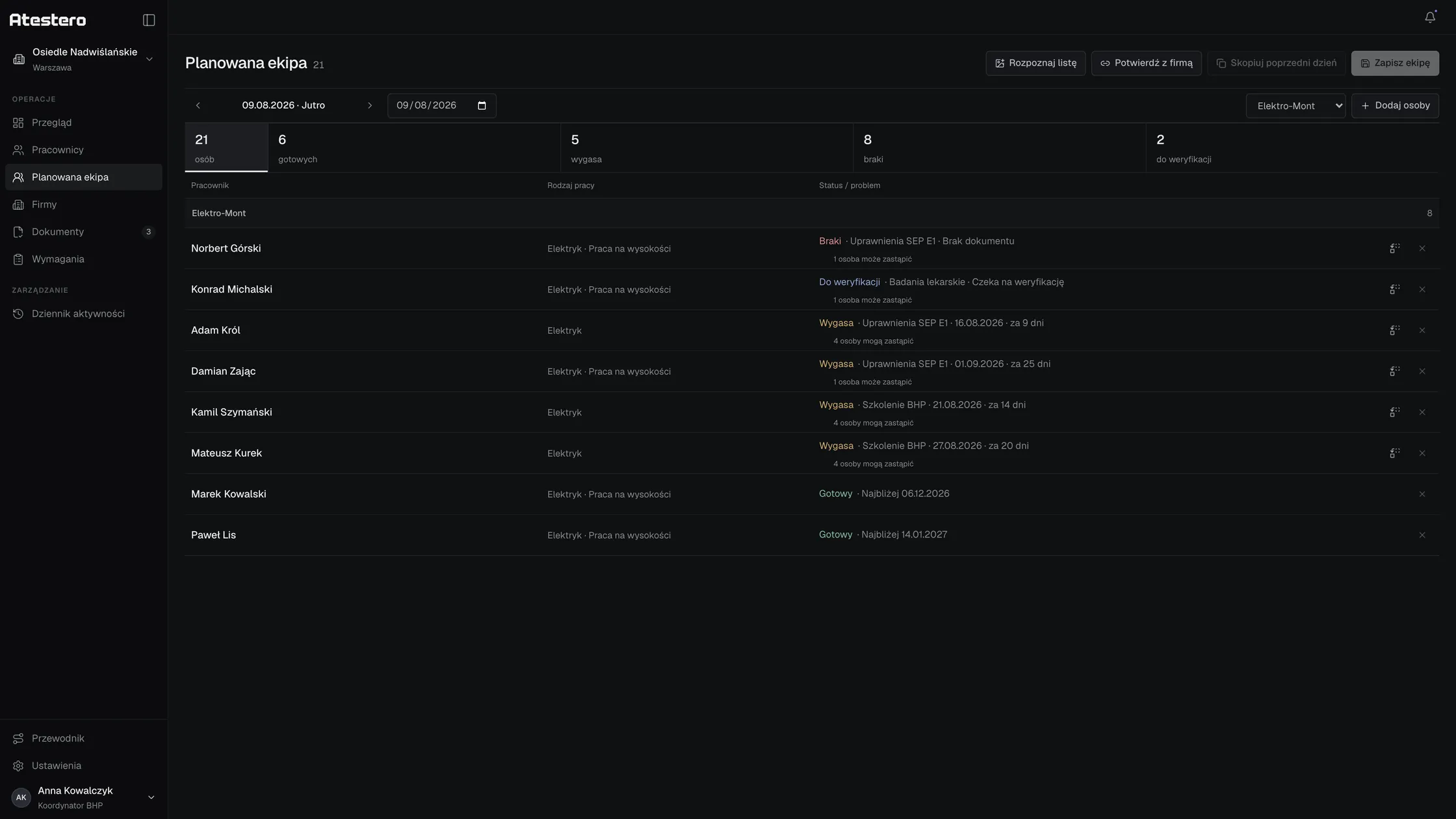
The site manager and H&S see the ready workers, missing items, documents to review and approaching dates in the group planned for a specific day.

Demo planned crew with workers' readiness in Atestero
Before work

First the crew line-up, then the document check

Atestero sets the people planned for a given day against the requirements in force on the site.

Plan for a specific daySplit by firmReady and needing actionView for the site manager and H&S
Action

One click leads to the source of the problem

From the crew list you can go to the worker, the missing requirement or the document waiting for a decision.

A specific workerName of the missing documentReview statusApproaching date

Key capabilities

The site manager and H&S see the ready workers, missing items, documents to review and approaching dates in the group planned for a specific day.

01Crew for a chosen day
02Status of each person
03Missing items and dates
04Confirmation of the line-up

Questions: planned crew

Answers on how this part of the process works in Atestero.

01For which day can I check the crew?

A crew is assigned to a chosen date, so you can check the line-up before the day starts.

02Does the list show only the number of gaps?

No. From the summary you can go to the specific person and the reason that needs action.

03What happens after a document is approved?

The worker's status and the planned crew summary are recalculated from the current state.

04Can the subcontractor confirm the line-up?

The process can include the right firm confirming the proposed list of workers before work starts.

Atestero · subcontractor worker readiness

See the whole process on demo data.